| ❌ | ✅ | ✅ | ✅ | ✅ | ✅ |
|---|
Powered Up Device
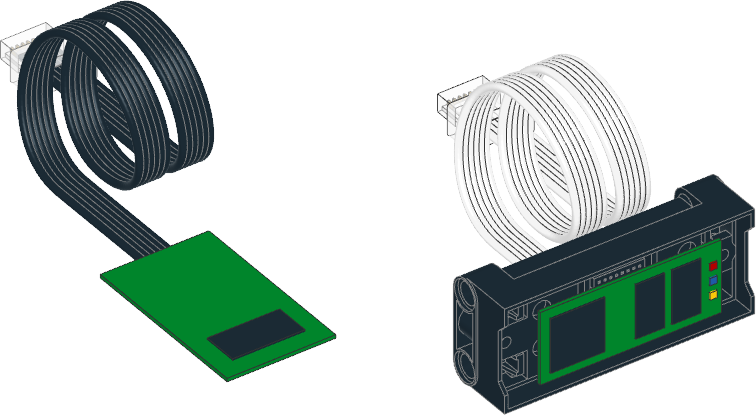
- class PUPDevice(port)
Powered Up motor or sensor.
- Parameters:
port (Port) – Port to which the device is connected.
- info() Dict
Gets information about the device.
For passive devices (such as DC motors or lights), returns a dictionary with only the
idkey.For UART devices, returns a dictionary with an
idkey and amodeskey. Themodesvalue is a tuple of tuples, one per mode, each containing the mode name, number of values, and data type.- Returns:
Dictionary with device information.
- awaitread(mode) Tuple
Reads values from a given mode.
For passive touch sensors, this returns a single boolean value indicating whether the sensor is pressed, regardless of the
modeargument.Raises an error for other passive devices such as DC motors and lights, which do not support reading.
- awaitwrite(mode, data)
Writes values to the device. Only selected UART devices and modes support this.
- Parameters:
- Raises:
OSError – If the device is a passive device that does not support writing.
ValueError – If the mode is invalid, the mode is not writable, the number of values does not match, or a value is out of range for its data type.
Examples
Detecting devices
from pybricks.iodevices import PUPDevice
from pybricks.parameters import Port
from uerrno import ENODEV

# Dictionary of device identifiers along with their name.
device_names = {
    # pybricks.pupdevices.DCMotor
    1: "Wedo 2.0 Medium Motor",
    2: "Powered Up Train Motor",
    # pybricks.pupdevices.Light
    8: "Powered Up Light",
    # pybricks.pupdevices.Motor
    38: "BOOST Interactive Motor",
    46: "Technic Large Motor",
    47: "Technic Extra Large Motor",
    48: "SPIKE Medium Angular Motor",
    49: "SPIKE Large Angular Motor",
    65: "SPIKE Small Angular Motor",
    75: "Technic Medium Angular Motor",
    76: "Technic Large Angular Motor",
    # pybricks.pupdevices.TiltSensor
    34: "Wedo 2.0 Tilt Sensor",
    # pybricks.pupdevices.InfraredSensor
    35: "Wedo 2.0 Infrared Motion Sensor",
    # pybricks.pupdevices.ColorDistanceSensor
    37: "BOOST Color Distance Sensor",
    # pybricks.pupdevices.ColorSensor
    61: "SPIKE Color Sensor",
    # pybricks.pupdevices.UltrasonicSensor
    62: "SPIKE Ultrasonic Sensor",
    # pybricks.pupdevices.ForceSensor
    63: "SPIKE Force Sensor",
    # pybricks.pupdevices.ColorLightMatrix
    64: "SPIKE 3x3 Color Light Matrix",
}

# Make a list of known ports.
ports = [Port.A, Port.B]

# On hubs that support it, add more ports.
try:
    ports.append(Port.C)
    ports.append(Port.D)
except AttributeError:
    pass

# On hubs that support it, add more ports.
try:
    ports.append(Port.E)
    ports.append(Port.F)
except AttributeError:
    pass

# Go through all available ports.
for port in ports:

    # Try to get the device, if it is attached.
    try:
        device = PUPDevice(port)
    except OSError as ex:
        if ex.args[0] == ENODEV:
            # No device found on this port.
            print(port, ": ---")
            continue
        else:
            raise

    # Get the device id
    id = device.info()["id"]

    # Look up the name.
    try:
        print(port, ":", device_names[id])
    except KeyError:
        print(port, ":", "Unknown device with ID", id)