| ❌ | ❌ | ❌ | ❌ | ❌ | ❌ |
|---|
Analog Sensor
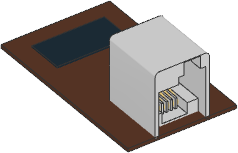
- class AnalogSensor(port, custom=False)
Generic or custom analog sensor.
- Parameters:
- Raises:
OSError – If no standard LEGO analog sensor is detected on the port. Only applies if
custom=False.
- voltage() int: mV
Measures analog voltage.
- Returns:
Analog voltage.
- resistance() int: Ω
Measures resistance.
This value is only meaningful if the analog device is a passive load such as a resistor or thermistor. It is calculated assuming a 10 kΩ internal pull-up resistor forming a voltage divider.
If the circuit is open (no load connected), the maximum integer value is returned.
- Returns:
Resistance of the analog device, or the maximum integer value if the circuit is open.
- active()
Sets sensor to active mode. This sets pin 5 of the sensor port to high.
This is used in some analog sensors to control a switch. For example, if you use the NXT Light Sensor as a custom analog sensor, this method will turn the light on. From then on,
voltage()returns the raw reflected light value.
- passive()
Sets sensor to passive mode. This sets pin 5 of the sensor port to low.
This is used in some analog sensors to control a switch. For example, if you use the NXT Light Sensor as a custom analog sensor, this method will turn the light off. From then on,
voltage()returns the raw ambient light value.