Generic I2C Device
EV3 and NXT support connecting generic I2C devices to the hub. See pinout here.
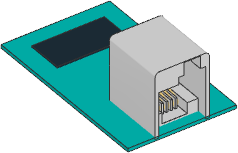
- class I2CDevice(port, address, custom=False, power_pin=0, nxt_quirk=False)
Generic or custom I2C device.
Note: Use the
power_pinoption at your own risk. Applying power to the pins can damage your hub or device if you are not careful. When you use this option, you will be prompted to confirm that you understand the risks.- Parameters:
port (Port) – Port to which the device is connected.
address (int) – I2C address of the client device. See I2C Addresses.
custom (bool) – Set to
Trueif you are using a custom I2C device.power_pin (int) – Power requirements for the device. Use
0(default) for no power on the pins. On NXT and EV3, use1to apply battery power to pin 1. Other pins are not supported.nxt_quirk (bool) – Set to
Truefor older NXT I2C sensors that need slower compatibility timing to communicate reliably, such as the old NXT Ultrasonic Sensor.
- awaitread(reg=None, length=1) bytes
- awaitread(reg=None, length=1, map=callable) Any
Reads bytes starting at a given register.
- Parameters:
reg (int) – Register at which to begin reading: 0–255 or 0x00–0xFF. Use
Noneto read without writing a register address first.length (int) – How many bytes to read.
map (callable) – Optional callable to convert the returned bytes. If given, it is called with the bytes as its argument and its return value is returned instead.
- Returns:
Bytes returned from the device, or the return value of
mapif a callable was provided.
- awaitwrite(reg=None, data=None)
Writes bytes, optionally starting at a given register.
- Parameters:
- Raises:
ValueError – If
regis given anddatais more than 32 bytes. To write more data, omit theregargument and include the register as the first byte ofdata.
Example: Read and write to an I2C device
#!/usr/bin/env pybricks-micropython
from pybricks.hubs import EV3Brick
from pybricks.iodevices import I2CDevice
from pybricks.parameters import Port

# Initialize the EV3
ev3 = EV3Brick()

# Initialize I2C Sensor
device = I2CDevice(Port.S2, 0xD2 >> 1)

# Read one byte from the device.
# For this device, we can read the Who Am I
# register (0x0F) for the expected value: 211.
if 211 not in device.read(0x0F):
    raise ValueError("Unexpected I2C device ID")

# To write data, create a bytes object of one
# or more bytes. For example:
# data = bytes((1, 2, 3))

# Write one byte (value 0x08) to register 0x22
device.write(0x22, bytes((0x08,)))
I2C Addresses
I2C addresses are 7-bit values. However, most vendors who make LEGO compatible
sensors provide an 8-bit address in their documentation.
To use those addresses, you must shift them by 1 bit.
For example, if the documented address is 0xD2, you can do
address = 0xD2 >> 1.
Advanced I2C Commands
Some rudimentary I2C devices do not require a register argument or even any data. You can achieve this behavior as shown in the examples below.
Example: Advanced I2C read and write techniques
#!/usr/bin/env pybricks-micropython
from pybricks.hubs import EV3Brick
from pybricks.iodevices import I2CDevice
from pybricks.parameters import Port

# Initialize the EV3
ev3 = EV3Brick()

# Initialize I2C Sensor
device = I2CDevice(Port.S2, 0xD2 >> 1)

# Recommended for reading
result = device.read(reg=0x0F, length=1)

# Read 1 byte from no particular register:
device.read(reg=None, length=1)

# Read 0 bytes from no particular register:
device.read(reg=None, length=0)

# I2C write operations consist of a register byte followed
# by a series of data bytes. Depending on your device, you
# can choose to skip the register or data as follows:

# Recommended for writing:
device.write(reg=0x22, data=b"\x08")

# Write 1 byte to no particular register:
device.write(reg=None, data=b"\x08")

# Write 0 bytes to a particular register:
device.write(reg=0x08, data=None)

# Write 0 bytes to no particular register:
device.write(reg=None, data=None)
Additional technical resources
The I2CDevice class methods call functions from the Linux SMBus driver.
To find out which commands are called under the hood, check the
Pybricks source code.
More details about using I2C without MicroPython can be found on
the ev3dev I2C page.